

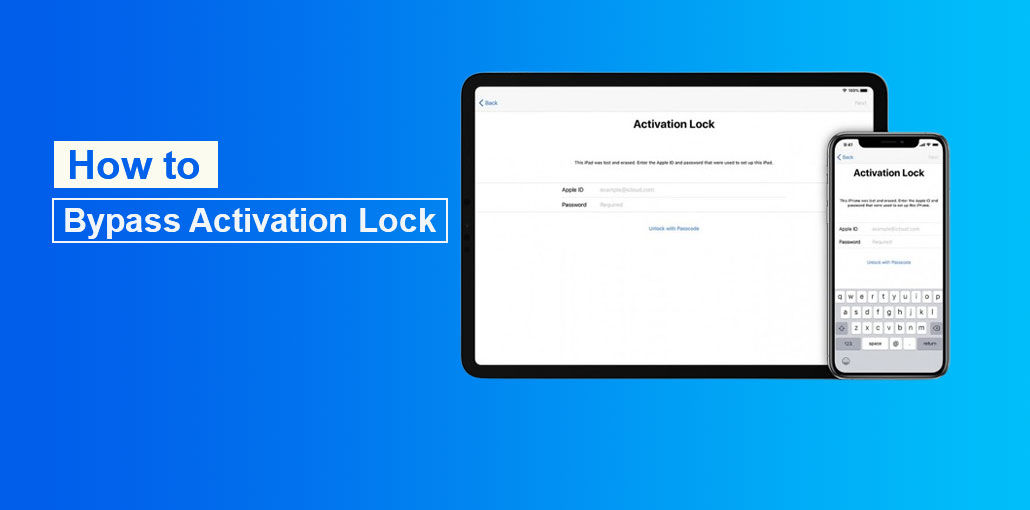
Activation Lock is an excellent way to keep your devices safe, but it can be a hassle when you need to bypass it if you’ve forgotten your password or your device isn’t responding. In this article, I’ll teach you how to bypass Activation Lock on your iPhone, iPad, Mac, or Apple Watch so that you can access your device again.
My Experience With Activation Lock
My friend was delighted to purchase an old iPhone; however, his joy quickly turned into frustration when he got stuck at the Activation Lock screen. The previous owner didn’t remove the device from the iCloud account, which left him without a device.
What is Activation Lock?
In simple terms, Activation Lock is a feature Apple created to lock a device if it is stolen or lost. When you have Activation Lock enabled, you can remotely lock your device through iCloud.
The Activation Lock keeps iPads and iPhones secure. It also monitors your device to increase your chances of recovering it. If someone is using your device and it is registered on a known WiFi, Apple can track its location.
In the most extreme circumstances, Activation Lock allows you to erase all your data remotely and ensures that anyone who has access to your iPhone or iPad won’t see your images, read your messages, or read any documents you’ve saved to iCloud.
Activation Lock will also work on Apple Watch (watchOS 2 or later) and Mac (T2 security chip devices only).
Common Reasons Users Encounter Activation Lock
Many legitimate users become locked out of their devices for reasons such as:
- Forgotten Apple ID password
- Buying a second-hand iPhone is still linked to another account
- Receiving a family member’s old device
- Company-owned devices are still connected to Mobile Device Management (MDM)
- Resetting the device without signing out of iCloud
Also read: How to Unlock an iCloud Locked MacBook Pro: 3 Best Methods to Try
How to Bypass Activation Lock Using Apple ID
Bypassing iCloud Activation is necessary to access information for an iPhone, iPad, Mac, or Apple Watch
- User’s Apple ID email and password. If you’re looking to learn how to bypass Activation Lock on iPhone or iPad, it’s usually just a matter of logging in to the device. However, you need to authenticate the person the device is registered to.
- A user’s four or six-digit lock screen code. If the device isn’t erased, you might view the passcode screen instead of the Activation Lock display.
Here’s how to bypass Activation Lock using Apple ID:
- Turn on your device.
- Follow the screen prompts to set up your device (language selection and WiFi network).
- If you see the “Sign In with Apple ID” screen, enter the owner’s information.
- When the correct information is provided, the setup process will continue.
- In addition, if you see the passcode screen, you can type the passcode and then set up the device using your Apple ID.
Once the device is fully set up, go to device settings, then sign out of your current iCloud account. Create a new account and sign in to it.
How to Bypass Activation Lock via iCloud
iPhone and iPad Activation Lock removal can also be performed through iCloud. This is a great option for situations when the iPhone owner isn’t logged into their iCloud account. You’ll need to use your Apple ID credentials, and they might need to verify the account’s activity on another device, but iCloud is a fantastic option for remotely removing the device from a user’s Apple ID account. Here’s how to bypass Activation Lock on an iPhone or iPad by using iCloud
Steps to Remove Activation Lock via iCloud
- Visit iCloud.com
- Sign in using the Apple ID linked to the device
- Open Find My iPhone
- Select the device from the device list
- Click Erase Device
- Choose Remove from Account
How to Bypass Activation Lock on Older iOS Versions Using DNS
This technique is tricky, but it’s not too difficult. Here’s how to remove activation lock using DNS:
DNS Setup Steps
- Begin device setup
- Select your country and language
- On the WiFi screen, tap the “i” icon
- Open DNS settings
- Enter a custom DNS server based on your region
DNS Servers
- North America: 104.154.51.7
- Europe: 104.155.28.90
- Asia: 104.155.220.58
- South America: 35.199.88.219
- Other Regions: 78.100.17.60
After entering the DNS address:
- Return to the WiFi menu
- Connect to your network
- Continue setup
The next screen that appears is the iCloud bypass screen.
Use Activation Lock Removal Tools
Many users look for software that will help to remove iCloud Activation Lock from iPhones and iPads. Apart from Apple’s official recovery methods, there are a variety of Third-party Activation lock removal tools, such as iCloud Bypass Tool, iCloudin, GadgetWide, and similar applications.
Risks of Third-Party Tools
- Malware and viruses
- Fake software scams
- Data theft risks
- Device instability
- Violation of Apple’s terms of service
Note: For safety and security, Apple-approved recovery methods are always recommended to unlock iPhone.
Also read: 7 Best iPhone Unlockers to Unlock Your Device Quickly and Safely
Contact Apple Support for Help
This is a bit difficult, since an Apple employee can help bypass iCloud Activation Lock on an iPhone or iPad. To do this, you’ll require the following items:
Documents You May Need
- Original purchase receipt
- Serial number or IMEI number
- Proof of ownership
- Valid identification
Be aware that all this information could technically be faked, so don’t rely on the Apple Store employee to help you. Even if you’re attempting to activate your device by honest methods, Apple Store staff are likely to be unable to assist you.
Final Thoughts on How to Bypass Activation Lock
If you’re stuck on the Activation Lock screen, this guide explains how to bypass Activation Lock on iPad and iPhone. Unlocking the Activation Lock via iCloud is the fastest option, but it requires a password. Contacting Apple Support for help works well if you’re the person who forgot the password, but you need invoicing. DNS is only available for iOS 8 and earlier; it’s not suitable for everyone.
FAQs: How to Bypass Activation Lock
Why is my iPhone stuck on Activation Lock screen?
Your iPhone is likely still linked to the previous owner’s Apple ID or was reset without signing out of iCloud.
Can I bypass Activation Lock on a used iPhone?
Yes, but only if the previous owner removes it from their iCloud account or you have proof of ownership for Apple Support assistance.
Does factory reset remove Activation Lock?
No. Even after a factory reset, Activation Lock remains active and requires the original Apple ID to activate the device.
How to bypass Activation Lock legally?
You can bypass Activation Lock legally by signing in with the correct Apple ID, asking the previous owner to remove the device from iCloud, or contacting Apple Support with proof of purchase.
How to bypass Activation Lock on Mac?
You must sign in with the original Apple ID, ask the previous owner to remove the device from iCloud, or contact Apple Support with proof of ownership.







Leave a comment