

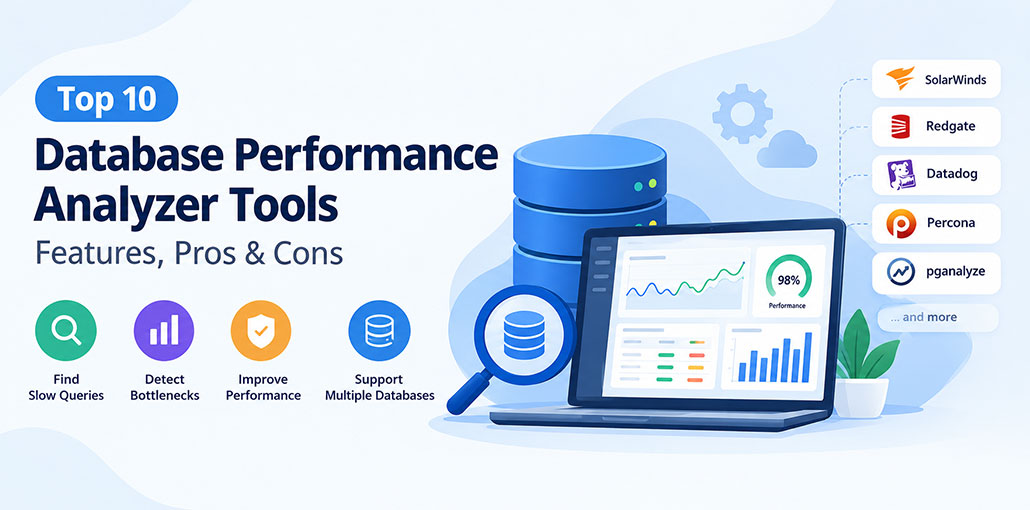
A slow database can affect everything from application response times to customer experience and business productivity. Whether you manage an e-commerce website, enterprise application, or cloud-based platform, identifying database bottlenecks is essential for maintaining reliable performance. This is where a Database performance analyzer becomes useful.
These tools help database administrators and developers monitor query execution, identify slow SQL statements, analyze resource usage, and troubleshoot performance issues before they become major problems. Some solutions focus on specific database systems, while others support multiple engines and integrate with broader application monitoring platforms.
In this guide, we explore the top 10 Database performance analyzer tools in 2026, comparing their key features, best use cases, and advantages to help you choose the right solution.
What Is a Database Performance Analyzer?
A Database performance analyzer is a software tool that monitors database activity and helps identify factors affecting performance. It collects information about query execution, CPU usage, memory consumption, locks, waits, and other database metrics.
Instead of manually investigating every slow query, administrators can use database performance analyzer tools to locate bottlenecks and understand their possible causes.
Common capabilities include:
- Query analysis: Identify slow SQL queries and inefficient execution patterns.
- Performance monitoring: Track database health and resource utilization.
- Wait-time analysis: Investigate delays caused by locks, I/O, or other database activities.
- Alerting: Receive notifications when performance metrics exceed configured thresholds.
- Historical reporting: Compare performance over time and investigate recurring issues.
- Optimization insights: Find opportunities to improve indexes, queries, and database configuration.
Also read: Obtaining Perfect Performance Through End-to-End Testing
Top 10 Database Performance Analyzer Tools in 2026
The following tools cover different requirements, from enterprise database monitoring to open-source performance analysis. The list is organized by use case rather than claiming a universal performance ranking. Features and pricing can vary by product edition.
1. SolarWinds Database Performance Analyzer
Best for: Enterprise database performance monitoring
SolarWinds Database Performance Analyzer (DPA) is designed to help database administrators investigate performance problems across supported database environments. Its wait-time analysis helps teams understand where database activity spends time waiting and which queries may contribute to delays.
Key features include SQL query analysis, historical performance tracking, workload monitoring, and database tuning insights.
Pros
- Provides detailed SQL query and wait-time analysis.
- Helps identify performance bottlenecks.
- Supports multiple database platforms.
Cons
- Can be expensive for small teams.
- Complex environments may require extra configuration.
Why choose it: DPA is worth considering for organizations that need detailed diagnostics and centralized visibility across supported database platforms.
2. Redgate Monitor
Best for: Monitoring multiple database environments
Redgate Monitor helps database teams monitor the health and performance of their database infrastructure through a centralized dashboard. It supports several major database platforms, making it useful for organizations that operate mixed database environments.
The platform provides performance metrics, historical trends, alerting, and visibility into database issues.
Pros
- Offers centralized database monitoring.
- Provides alerts for performance and availability issues.
- Tracks historical performance data.
Cons
- Requires a paid subscription.
- Some environments may need additional monitoring tools.
Why choose it: It is a practical option for database administrators who want to monitor multiple instances without constantly switching between separate tools.
3. Datadog Database Monitoring
Best for: Cloud-native applications and DevOps teams
Datadog Database Monitoring connects database performance data with infrastructure metrics and application observability. This broader view can help teams investigate whether slow queries, infrastructure constraints, or application activity are contributing to performance problems.
Its capabilities include query metrics, query samples, dashboards, and integrations with other Datadog monitoring services.
Pros
- Connects database metrics with application performance.
- Provides query insights and customizable dashboards.
- Works well with cloud-based environments.
Cons
- Costs can increase with usage.
- Integrations require proper configuration.
Why choose it: Consider Datadog if your team already uses its observability platform and wants to correlate database problems with application behavior.
4. Percona Monitoring and Management
Best for: Open-source database monitoring
Percona Monitoring and Management (PMM) is an open-source platform for monitoring supported database systems, including MySQL, PostgreSQL, and MongoDB.
It offers query analytics, dashboards, performance metrics, and database diagnostics. Because it can be self-hosted, teams can maintain greater control over their monitoring infrastructure.
Pros
- Offers free, open-source monitoring.
- Supports MySQL, PostgreSQL, and MongoDB.
- Includes query analytics and performance dashboards.
Cons
- Requires technical knowledge for setup.
- Teams must maintain their monitoring infrastructure.
Why choose it: PMM is a strong option for organizations seeking database monitoring capabilities without purchasing a traditional commercial license. However, self-hosting requires technical resources to deploy and maintain the platform.
5. pganalyze
Best for: PostgreSQL performance optimization
pganalyze focuses on helping teams understand and improve PostgreSQL performance. It analyzes query statistics, execution plans, and database logs to help identify inefficient queries and potential optimization opportunities.
Its specialized approach can be particularly useful for applications with demanding PostgreSQL workloads.
Pros
- Specializes in PostgreSQL performance monitoring.
- Helps identify slow queries and execution-plan issues.
- Provides database log insights.
Cons
- Primarily supports PostgreSQL.
- Some advanced features may require a paid plan.
Why choose it: If PostgreSQL is your primary database, pganalyze offers focused diagnostic capabilities without requiring a general-purpose monitoring platform.
6. Dynatrace Database Monitoring
Best for: Enterprise observability
Dynatrace provides database monitoring as part of its broader observability platform. It helps organizations connect database performance with application behavior and infrastructure activity.
Depending on the supported environment and configuration, teams can investigate database calls, response times, and performance bottlenecks alongside other system signals.
Pros
- Connects database, application, and infrastructure metrics.
- Provides automated monitoring and diagnostics.
- Supports complex enterprise environments.
Cons
- Can be expensive for smaller organizations.
- Initial configuration may require technical expertise.
Why choose it: Dynatrace is worth evaluating when your organization needs database visibility as part of a wider enterprise monitoring strategy.
7. New Relic Database Monitoring
Best for: Application developers and performance engineers
New Relic combines application performance monitoring with database-related insights. It can help developers identify slow database operations that affect application response times and investigate performance issues using related telemetry.
Its dashboards and alerting capabilities also support ongoing monitoring.
Pros
- Integrates database monitoring with application performance tools.
- Helps identify database-related application slowdowns.
- Provides dashboards, metrics, and alerts.
Cons
- Features vary by database integration and plan.
- Costs may increase with data usage.
Why choose it: New Relic may be a good fit for development teams that want to investigate database performance without separating it from their application monitoring workflow.
8. Idera SQL Diagnostic Manager
Best for: Microsoft SQL Server environments
Idera SQL Diagnostic Manager focuses on monitoring and diagnosing Microsoft SQL Server performance. It helps administrators investigate resource usage, query behavior, blocking, and other issues that can affect SQL Server workloads.
Its monitoring and alerting capabilities can support routine database administration and troubleshooting.
Pros
- Focuses on Microsoft SQL Server performance.
- Helps detect blocking and resource bottlenecks.
- Provides monitoring alerts and historical data.
Cons
- Primarily designed for SQL Server.
- Requires paid licensing and database expertise.
Why choose it: Consider this tool if SQL Server is central to your infrastructure and your team needs database-specific diagnostic information.
Also read: Top 10 Free Database Software
9. Quest Foglight for Databases
Best for: Complex enterprise database environments
Quest Foglight for Databases provides database monitoring and performance analysis for supported enterprise database platforms. It helps administrators examine workload behavior, identify performance bottlenecks, and track database health.
Its broader monitoring capabilities can be useful in environments where database reliability is closely tied to business-critical applications.
Pros
- Supports multiple database technologies.
- Helps identify workload bottlenecks.
- Provides performance dashboards and historical metrics.
Cons
- Setup can be complex in large environments.
- Licensing may be costly for smaller teams.
Why choose it: Foglight is worth considering for larger organizations that need detailed database visibility across complex environments.
10. Prometheus and Grafana
Best for: Custom monitoring and budget-conscious teams
Prometheus and Grafana can form a flexible database monitoring solution. Prometheus collects and stores time-series metrics through supported exporters, while Grafana helps teams visualize those metrics in customizable dashboards.
Additional exporters, database-specific integrations, and alerting rules are needed to monitor the relevant database metrics effectively.
Pros
- Offers flexible, customizable dashboards.
- Provides free and open-source options.
- Supports database metrics through exporters and integrations.
Cons
- Requires manual setup and configuration.
- Ongoing maintenance may require technical expertise.
Why choose it: This combination suits technical teams that want customizable dashboards and control over their monitoring stack. It requires more setup and ongoing maintenance than many ready-made commercial products.
Key Features to Look for in a Database Performance Analyzer
Choosing the right Database performance analyzer requires more than comparing product names. Consider the following features before making a decision.
- Database compatibility: Ensure the tool supports your database engines, versions, and deployment model.
- SQL query analysis: Look for detailed information about slow queries and execution plans.
- Real-time monitoring: Choose a solution that helps identify performance problems as they occur.
- Alerts and notifications: Configurable alerts can help your team respond to issues promptly.
- Historical data: Performance history makes it easier to identify recurring problems and measure improvements.
- Ease of use: Clear dashboards and useful recommendations can reduce troubleshooting time.
- Scalability: Check whether the platform can accommodate additional databases and growing workloads.
- Security: Review access controls, data collection practices, and deployment requirements.
Also read: Top 6 Data Migration Tools: Which One Is Right for You?
How to Choose the Best Database Performance Analyzer
Start by identifying your primary database platform and the problems you need to solve. PostgreSQL teams may prefer a specialized tool such as pganalyze, while organizations running several database engines may benefit from Redgate Monitor or SolarWinds DPA.
If you need application-level visibility, Datadog, Dynatrace, or New Relic may be more suitable. For teams prioritizing open-source software and self-hosting, Percona PMM is a strong starting point.
Before purchasing a license, test the database performance analyzer tool with a representative workload. Check its impact on database resources, alert accuracy, diagnostic depth, and integration with your existing systems.
Final Thoughts
A reliable Database performance analyzer can help you identify bottlenecks, improve query efficiency, and maintain stable database performance. The right choice depends on your database platform, technical requirements, budget, and monitoring goals. Compare the database performance analyzer tools carefully, test their capabilities in your environment, and select a solution that helps your team diagnose problems efficiently while supporting future growth.
FAQs: Database Performance Analyzer
What are the best database performance analyzer tools?
Popular options include SolarWinds Database Performance Analyzer, ManageEngine Applications Manager, Site24x7, Datadog Database Monitoring, and Redgate Monitor. The best choice depends on your database platform and monitoring needs.
Is there a free database performance analyzer?
Some database monitoring solutions offer free editions, trials, or open-source alternatives. Check the current licensing terms and feature limitations before choosing a tool.
What is the difference between database monitoring and database performance analysis?
Database monitoring tracks metrics such as availability, resource usage, and response times. Performance analysis investigates those metrics to identify the underlying causes of slowdowns and determine potential improvements.
Do database performance analyzer tools support cloud databases?
Many tools support selected cloud and managed database services. Compatibility varies by provider, database engine, deployment model, and product plan.






Leave a comment