
Microsoft Authenticator App Not Working: 9 Solutions You Should Try Today
Having trouble signing in because your Microsoft Authenticator app not working? It can be frustrating when you need to access an important account,...

Top 10 Driver Monitoring Systems for Vehicle Safety
A Driver Monitoring System improves road safety by detecting driver drowsiness, distraction, and inattention. As AI use in vehicles grows, these systems are...

Windows XP Emulator Guide: Run Old Software on a Modern PC
Not everything moves on when an operating system does. Some old programs are still running businesses. Some games haven’t been patched, re-released, or...

Best Hulu Ad Blocker in 2026: 10 Tools to Stop Ads
Hulu’s ad-supported plan costs $7.99 a month, and the ad-free plan costs $17.99 a month. That’s a $10 monthly gap, or $120 a...

How Live Chat Features Enhance Online Gaming
Online gaming has become much more than a way to pass the time. Many players now seek experiences that let them interact with...

Getting Facebook Query Error? Here’s How to Fix It Fast
Facebook is one of the most widely used social media platforms, but users sometimes encounter unexpected errors, including the message “Error Performing Query.”...

Frontier AI Security: From Prediction to Trustworthy Intelligence Act IV — The Future Paradigm
Blog 8 — Human-Aligned vs Machine-Autonomous Cybersecurity As artificial intelligence gains greater operational authority in cybersecurity, a new challenge emerges beyond deciding when...

How to Factory Reset iPhone Without Password: 4 Easy Methods
Factory reset iPhone without password or computer may seem difficult, but several options can help you erase your device and start fresh. If...
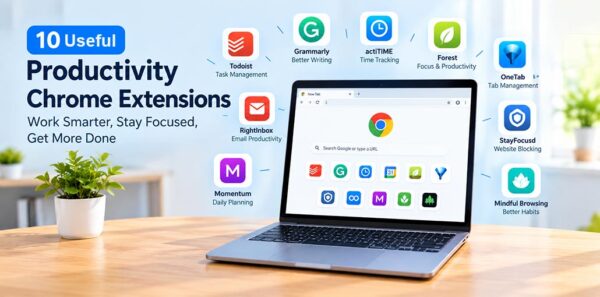
10 Useful Productivity Chrome Extensions to Work Smarter in 2026
Every Chrome extension featured in this guide was checked on the Chrome Web Store in 2026 to ensure it was still available and...

Hulu Watch Party: How to Watch Hulu With Friends in 2026
There’s nothing better than watching your favorite movies or TV shows with friends and family. With streaming platforms like Netflix, Max, and Hulu,...