
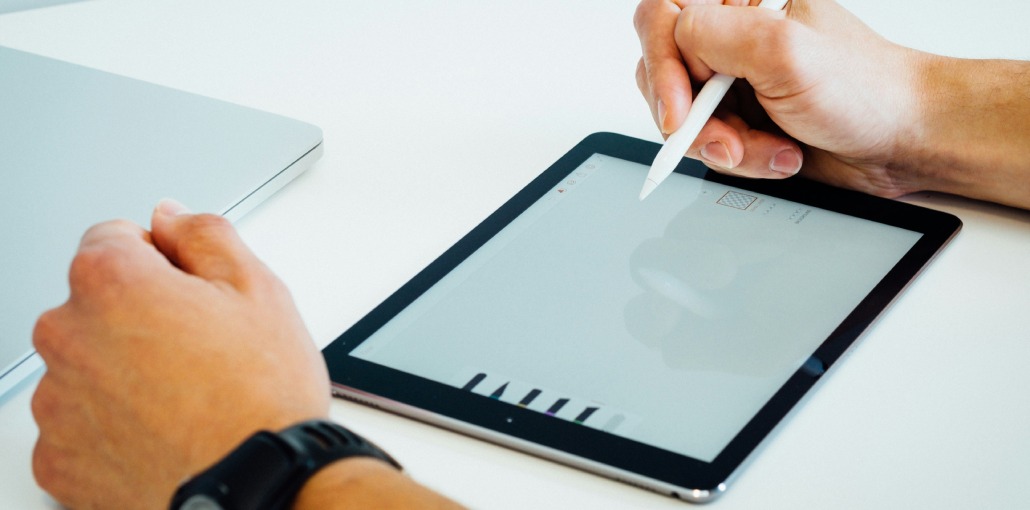
An iPad paired with an Apple Pencil makes an excellent combination for digital note-taking. While the App Store offers plenty of apps for handwritten notes, many come with a price tag. This makes it worth exploring the Best iPad note taking apps before choosing one.
Several apps let you explore their features for free but lock essential tools behind expensive subscriptions or one-time purchases.
Fortunately, there are a few free note taking apps for iPad that are completely free to use, with no time-limited trials, intrusive ads, or in-app purchases required.
6 Best iPad Note Taking Apps for Students and Daily Notes
1. Microsoft OneNote
Microsoft OneNote is a well-established digital notebook app from Microsoft that is completely free to use and offers a wide range of productivity features. It’s a reliable choice for handwritten note-taking and one of the Best iPad note taking apps, particularly if you already use other Microsoft apps and services.
Your notes are neatly organized in the sidebar into Notebooks, Sections, and Pages. You can also create sub-notebooks and sub-pages to keep everything structured and easy to find. The convenient sidebar makes switching between pages quick and effortless.
OneNote also lets you add text, insert files, draw, customize paper styles, record audio, and much more. It includes a pressure-sensitive pen tool and a highlighter, both of which offer fully customizable colors. You can even choose from a few glitter effects to give your handwritten notes a unique look.
One of OneNote’s most underrated features is the ability to save an unlimited number of favorite pens and highlighters directly to the toolbar. It also offers six different stylus orientations, allowing you to customize the writing experience to match your preferred style.
OneNote seamlessly combines different types of content, including text, drawings, PDFs, and more, all on a single page. Your notes also sync across devices, making it easy to switch between handwriting on your iPad and typing on your computer without missing a beat.
Also read: Best iPad for Kids 2026: Which iPad Should You Buy?
2. Apple Notes
Apple Notes is a convenient option because it comes preinstalled on most Apple devices. It offers a straightforward way to write, organize, and manage handwritten notes using an Apple Pencil.
You can combine typed text, drawings, sketches, and scanned documents in the same note. The app also includes different pen styles, colors, and paper backgrounds to customize your writing experience.
One useful feature is Auto-Minimize, which keeps the toolbar compact while you’re writing. You can also scan physical documents using your iPhone camera and add them to your notes on your iPad.
For Apple users who want a simple, built-in solution, Apple Notes is among the Best iPad note taking apps to consider.
3. Loose Leaf
Loose Leaf is an underrated note-taking app that takes a different approach to organizing your work. Instead of traditional notebooks, it lets you create individual stacks of handwritten notes and sketches. As its name suggests, the app is designed to recreate the feel of working with loose sheets of paper, offering a simple and flexible writing experience.
Loose Leaf relies on several two-finger gestures for everyday tasks, such as closing stacks of loose sheets, flipping through pages, and deleting notes. While these gestures may take some time to get used to, especially with the iPad’s many existing touch controls, they quickly become second nature once you learn them.
The pen and marker tools are fully pressure-sensitive, automatically adjusting line thickness based on how much pressure you apply. However, there’s no option to manually adjust the stroke width. The app also offers just five primary color choices, which may feel limiting, but should be sufficient for basic note-taking and sketching.
One of the app’s standout features is the Scissor tool, which works as an alternative to the traditional Lasso tool. It also includes an asymmetry tool that lets you mirror your drawings for a more creative touch. Additionally, Loose Leaf offers several useful page templates, including blank music sheets and to-do lists.
If you’re looking for a simple, no-frills app to jot down ideas and create quick sketches, Loose Leaf is an excellent choice among the top note taking apps for iPad.
4. Post-it Notes
Post-it Notes brings the familiar experience of traditional sticky notes to your iPad, making it another option among the Best iPad note taking apps.
You can quickly create new notes directly in the app or use your camera to import up to 200 physical Post-it Notes at once. The app also features handwriting recognition, making it easy to search through and export information from your handwritten notes.
On the iPad, you get access to various editing tools for drawing, erasing, and customizing your notes. You can organize them in different ways, either by grouping related ideas or using a simple grid layout. The app also lets you export your notes to cloud services like Dropbox or save them in formats such as PowerPoint, Excel, and PDF.
A home screen widget lets you view your most important notes at a glance without opening the app.
As a bonus, Post-it Notes is also available on iPhone and Mac. With iCloud sync, your notes automatically stay up to date across all your devices.
5. Freeform
If you want an app that goes beyond traditional note-taking, give Apple’s Freeform a try. It’s another of the Best iPad note taking apps for users who prefer a flexible digital workspace.
Freeform is a versatile digital whiteboard where you can add almost anything alongside your notes, including photos, videos, audio recordings, documents, and PDFs. You can also use your Apple Pencil or finger to draw directly on the canvas, with a variety of brush styles and colors to bring your ideas to life.
You can also scan paper documents using your iPad’s camera and annotate them directly on the board.
With iCloud sync, your work is accessible on your iPhone and Mac as well. Freeform also supports real-time collaboration through email, shared links, or Messages, allowing up to 100 people to work on the same board.
If you want to explore uses beyond note-taking, check out these creative ways to use Apple’s Freeform.
Also read: 7 Best Video Editing Apps For iPhone And iPad
6. Pen & Paper
Pen & Paper offers a simple, straightforward way to take notes on your iPad using an Apple Pencil. Its straightforward design makes it one of the Best iPad note taking apps for basic handwritten notes.
Available only in portrait orientation, Pen & Paper is quick and easy to set up. Simply create a new journal and choose from four page styles: colored backgrounds, ruled paper, grid paper, or plain paper. Once you’ve made your selection, you’re ready to start taking notes with a variety of pen styles and colors.
When you’re finished, you can save your notes as PDFs. The app also supports Face ID and Touch ID authentication, along with iCloud backups to help keep your notes safe.
Wrap Up
You now have six completely free options for taking digital notes without worrying about hidden costs. Try one or all of them to find the app that best fits your productivity needs.
Whether you’re taking class notes, brainstorming ideas, or keeping a digital bullet journal, the right handwritten note-taking app can make all the difference. Explore the Best iPad note taking apps and choose the one that makes your daily note-taking easier.
FAQs: Best iPad Note Taking Apps
What are the best iPad note taking apps for handwritten notes?
Microsoft OneNote, Apple Notes, Loose Leaf, Post-it Notes, Freeform, and Pen & Paper are six options for handwritten note-taking on an iPad.
Which iPad note-taking app works best with Apple Pencil?
Microsoft OneNote and Apple Notes offer useful Apple Pencil features. Your preferred option depends on the writing tools and organization features you need.
Which iPad app is best for making digital sticky notes?
Post-it Notes is a useful choice for creating digital sticky notes. It also lets you import physical Post-it Notes using your iPad's camera.
Is Microsoft OneNote better than Apple Notes for iPad?
It depends on your needs. OneNote offers a structured notebook system and works across platforms, while Apple Notes provides a simple experience integrated with Apple's ecosystem.








Leave a comment