

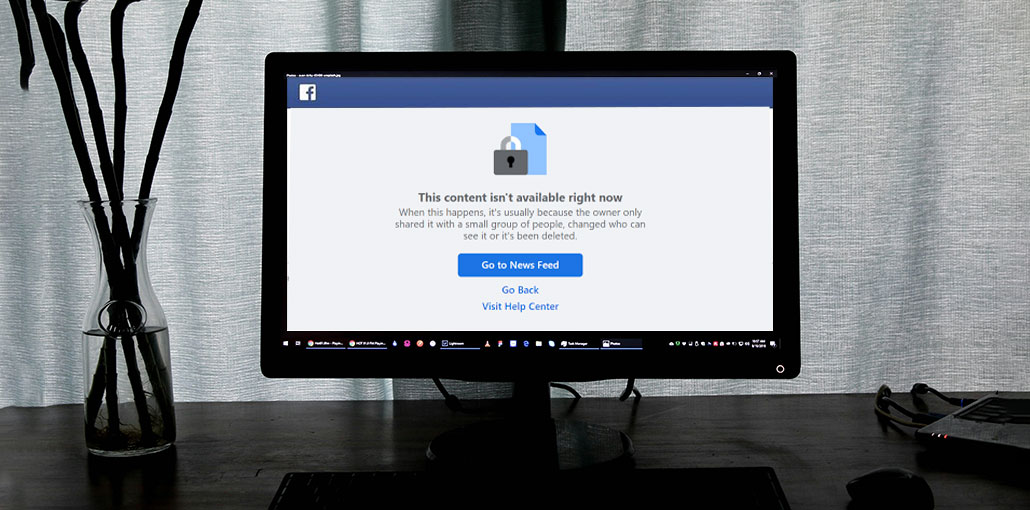
Of these users, many Facebook users have recently complained that after sharing a post, the post doesn’t appear correctly. This means that other users don’t see the content they’ve shared. If the link is opened, it displays an error message that reads, “Sorry, This Content Isn’t Available Right Now Facebook.” This can be a bit irritating. It is possible that someone could be re-grouping with old friends only to discover that their school’s image isn’t showing and displaying an error.
If you’re suffering from this problem, you’re not the only one. This is where this guide enters the picture. In this article, we’ll discuss some useful solutions to correct this issue on Facebook. Without further delay, let’s get right into the issue.
Why Does Facebook Show the “This Content Isn’t Available Right Now” Error?
Before you decide and resolve this issue, we recommend that you first identify the cause. This can help you educate others if they experience the same issue, and you’ll be able to implement fixes more quickly.
After reviewing several user complaints, we have identified a possible cause of the ” This content isn’t available Facebook error.
- The content has been deleted.
- The post is no longer available to the public.
- The content owner has changed their privacy settings.
- You are not logged into your Facebook account.
- Facebook is experiencing temporary server issues.
- The content owner’s account has been deactivated or removed.
- Malware or browser-related issues are affecting Facebook.
- The content has age or location restrictions.
- You have been blocked by the content owner.
There is a high chance that if you are unable to view any posts on Facebook, the issue could be because of one of the reasons mentioned above. Let’s take a look at solutions to this.
Also read: Does Facebook Notify Screenshots? Here’s the Truth Revealed
How to Fix This Content Isn’t Available Right Now Facebook
1. Check If You Have Been Blocked
One of the main causes of a “this content isn’t available right now Facebook” issue could be that the user you’d like to see has blocked your access. You can then go to their profile. If you can visit it, that means you’re not blocked. You may try the next method.
2. Make Sure You’re Logged Into Facebook
In some cases, Facebook will force you to sign out of your account. This happens when you spend too many hours on the site or due to other reasons. In the meantime, you must refresh the page. When the login screen appears, enter your login credentials to log in once more. Then, verify that your “Facebook content not available” problem has been resolved.
3. Verify Whether the Content Has Been Deleted
If the page was deleted, the “this content isn’t available right now Facebook” error may also be seen. In some instances, the content is not in compliance with Facebook’s guidelines, is inappropriate, or has been flagged, and the content will also be deleted.
4. Check If Privacy Settings Have Changed
You must determine if the privacy settings have been altered. Post owners can change their privacy settings after a time. When he changes it to more private content, the content is only available to the people he permits. In this instance, you could encounter a “this content isn’t available right now Facebook” error.
5. Scan Your Device for Malware or Viruses
If you are experiencing the “Facebook this content isn’t available right now” problem, you should still check for malware and viruses. Malware and viruses can trigger issues and other serious issues on your computer. You can use Avast antivirus or Windows Defender to check for viruses.
6. Check for Age or Location Restrictions
Facebook is very strict about age restrictions and does not allow users under the set limit to view content. If the administrator of the page chosen to restrict the content to an age group, area, or a specific location, you will see the “this content isn’t available right now” problem. Therefore, it’s advisable to verify it.
Also read: YouTube Video Unavailable? 9 Easy Fixes You Need to Try
Can You Recover Unavailable Facebook Content?
Recovery depends on why the content is unavailable.
- If the content was deleted, recovery is usually impossible.
- If privacy settings changed, access may return if the owner updates permissions.
- If Facebook is experiencing technical issues, the content may reappear once the problem is resolved.
Final Thoughts
After reading this article, you should be able to solve your “this content isn’t available right now Facebook” problem. If you have any other issues, tell us about them by leaving a comment.
FAQs – This Content Isn’t Available Right Now Facebook
Why am I seeing this error on Facebook?
You may see this error because the post was deleted, the account was deactivated, privacy settings were changed, or you were blocked by the user.
Is this a Facebook glitch or bug?
Sometimes yes. Temporary server issues or app bugs can also trigger this error message.
Why does Facebook show this message on shared links?
Shared links may stop working if the original post is deleted, made private, or restricted by Facebook policies.
How long does this Facebook error last?
It depends on the cause—temporary glitches may last minutes or hours, but deleted content is permanent.






Leave a comment