

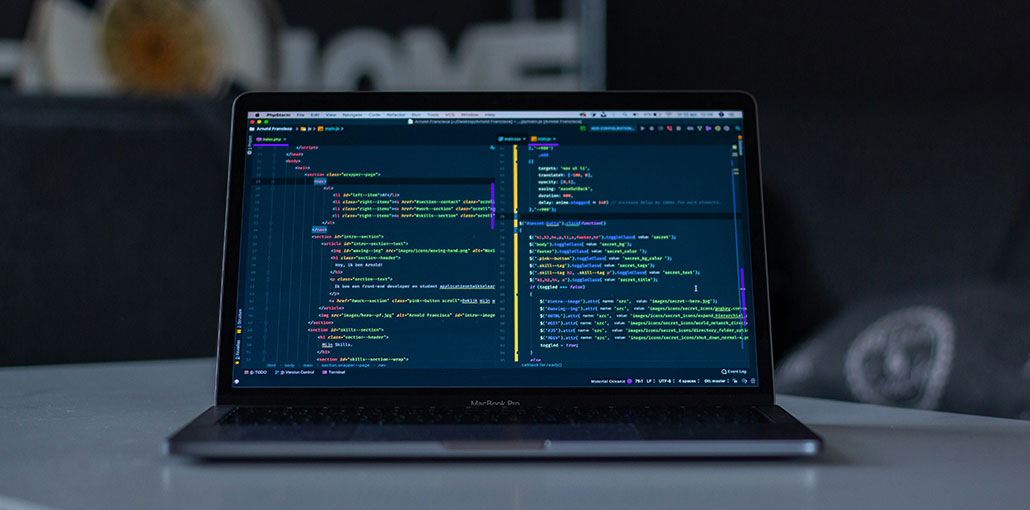
Looking for the best code editor for Mac? With so many options available, choosing the right one can be challenging. Some editors focus on speed and simplicity, while others offer advanced features for coding and development. In this guide, we cover 8 of the best code editor for Mac options in 2026, comparing their features, pros, and cons to help you find the right option for your needs.
Best Code Editor for Mac: 8 Top Options to Explore
Not sure which code editor suits your needs? Let’s explore eight options, compare their features, and find the right fit for your coding style and workflow.
1. Visual Studio Code
Visual Studio Code, commonly known as VS Code, is a versatile source code editor developed by Microsoft. It supports numerous programming languages and offers an extensive extension ecosystem, making it suitable for web development, scripting, and many other coding tasks.
One of its biggest strengths is flexibility. Developers can customize the editor to suit their preferred languages, frameworks, and development tools without switching applications for every task.
Key Features
- Syntax highlighting and intelligent code completion
- Integrated Git and source control functionality
- Built-in terminal
- Debugging support for compatible languages and tools
- Extensive collection of extensions and themes
- Cross-platform compatibility
Pros
- Suitable for beginners and experienced developers
- Highly customizable through extensions
- Supports a wide variety of programming languages
- Combines editing, debugging, and source control in one interface
Cons
- Numerous extensions and settings can feel overwhelming to new users.
- Resource consumption may increase with large projects and many extensions.
- Some advanced language features require additional extensions or configuration.
Best for: Web developers, Python programmers, software engineers, and users who want a flexible coding environment.
VS Code is a strong contender for the best code editor for Mac because of its flexibility and extensive extensions. Whether you’re building a small website or maintaining a larger application, you can adapt the editor to your requirements. It is also a practical code editor for Mac beginners who want room to grow.
Also read: 10 Best C++ IDEs or Source Code Editors for Programming
2. Atom
Atom was an open-source code editor developed by GitHub. It became popular for its customizable interface, package ecosystem, and integration with GitHub-related workflows.
When comparing the best code editor for Mac, keep in mind that Atom is discontinued and may not suit modern projects. Its design allowed developers to personalize the editing environment and add functionality through packages. These features made it appealing to programmers who preferred tailoring their tools to their needs.
Key Features
- Customizable interface and themes
- Package-based extensions
- Syntax highlighting
- Multiple-pane editing
- GitHub-oriented development features
- Support for multiple programming languages
Pros
- Flexible interface
- Extensive customization options
- Open-source origins
- Useful editing features for a variety of coding tasks
Cons
- Official development ended
- It no longer receives regular official updates or security maintenance.
- Compatibility with current macOS versions and modern development tools may be limited.
Best for: Developers exploring legacy projects or users who need to maintain existing Atom-based workflows.
Important note: Atom is discontinued, so it is not a strong choice for a new development setup in 2026. Users looking for a maintained alternative should consider Visual Studio Code or another actively supported editor. Those seeking an open source code editor for Mac should verify that their chosen application is actively maintained.
3. Sublime Text
Sublime Text is a lightweight code editor known for its responsive performance, streamlined interface, and powerful text-manipulation tools.
It is particularly useful for developers who prefer a fast editing experience without the complexity of a larger integrated development environment. Its interface stays relatively minimal, allowing users to focus on their code. Sublime Text is worth considering when searching for the best code editor for Mac for speed and efficient editing.
Key Features
- Fast file opening and navigation
- Multiple selections and simultaneous editing
- Powerful search and replace
- Syntax highlighting for numerous languages
- Command Palette for quick access to functions
- Package ecosystem for additional functionality
Pros
- Fast and responsive
- Clean, distraction-free interface
- Excellent keyboard-driven workflow
- Effective tools for editing multiple lines or code sections
Cons
- Some advanced functionality requires packages or external tools.
- Its full feature set may take time to learn.
- Continued use requires purchasing a license, although evaluation is available.
Best for: Developers who prioritize speed, efficient text editing, and keyboard shortcuts.
Sublime Text is particularly appealing when you frequently navigate large codebases, edit configuration files, or make repetitive changes across multiple lines. It is also worth considering if you want a lightweight editor without the overhead of a more extensive development environment.
4. Brackets
Brackets was an open-source code editor developed with web designers and front-end developers. It focused on HTML, CSS, and JavaScript, offering features designed to make website development more visual and accessible.
One of its best-known capabilities was Live Preview, which allowed developers to see changes reflected in a browser while editing supported web files.
Key Features
- HTML, CSS, and JavaScript editing
- Live Preview functionality
- Inline editing features
- Syntax highlighting
- Extension support
- Tools designed for front-end workflows
Pros
- Straightforward interface
- Features tailored to web development
- Helpful visual feedback for website editing
- Relatively approachable for beginners
Cons
- Official support ended in September 2021.
- Modern frameworks and development workflows may require additional tools.
- Compatibility with current software environments is not guaranteed.
Best for: Developers maintaining older Brackets projects or exploring legacy front-end workflows.
Although Brackets helped make front-end coding more approachable, its discontinued status makes it less suitable for a new development environment. Mac users looking for similar capabilities should consider actively maintained alternatives, particularly VS Code. Although Brackets was useful for front-end work, it is no longer a leading option for the best code editor for Mac in 2026.
5. BBEdit
BBEdit is a professional text and code editor developed specifically for macOS. It offers a broad collection of text-processing tools and supports workflows involving HTML, CSS, JavaScript, scripts, and other text-based formats.
Unlike some cross-platform editors, BBEdit is designed around the Mac environment. Its interface and editing features appeal to users who want a dedicated macOS application rather than a general-purpose development platform.
Key Features
- Syntax highlighting for supported languages
- Powerful multi-file search and replace
- Text transformation and manipulation tools
- Support for scripts and automation
- HTML editing capabilities
- Tools for comparing and working with text files
Pros
- Designed specifically for macOS
- Excellent search and replace functionality
- Strong text-processing capabilities
- Useful for web development and scripting
- Suitable for managing large collections of text files
Cons
- Available for macOS, not Windows or Linux.
- Some advanced capabilities require a paid license.
- Its interface and feature set may take time to explore fully.
Best for: Mac-based web developers, technical writers, system administrators, and programmers who work extensively with text files.
BBEdit is a particularly good choice if your workflow involves editing website files, manipulating structured text, searching across projects, or automating repetitive tasks. It offers a more focused experience than editors designed to cover every aspect of software development. BBEdit is a practical candidate for the best code editor for Mac if you regularly work with text files and web projects.
6. GNU Emacs
GNU Emacs is an extensible text editor with a long history in software development. It is known for its keyboard-driven workflow, powerful customization capabilities, and support for a wide range of programming languages.
Emacs can be configured to function as much more than a conventional code editor. With the right packages and settings installed, users can build workflows for programming, documentation, project management, and other text-based tasks.
Key Features
- Extensive customization through Emacs Lisp
- Syntax highlighting and language-specific modes
- Keyboard-focused navigation and editing
- Support for multiple buffers and windows
- A large ecosystem of packages
- Tools for editing code and managing text-based projects
Pros
- Free and open-source
- Highly configurable
- Supports a wide range of programming languages
- Can be adapted to specialized workflows
- Powerful keyboard shortcuts and text manipulation
Cons
- Has a steep learning curve.
- Extensive configuration may take considerable time.
- Some language-specific development features require additional setup.
Best for: Experienced programmers, terminal-oriented users, and developers who enjoy customizing their tools.
Emacs is worth considering if you want extensive control over your editing environment. GNU Emacs may be the best code editor for Mac for experienced developers who value deep customization. However, beginners who prefer a ready-to-use interface may find VS Code or Sublime Text easier to adopt.
7. Coda
Panic created Coda, a Mac-focused web development application that combined code editing with website management features, appealing to developers who wanted to work on web projects from a single interface.
Its historical feature set included tools for editing website files and working with remote servers. This made it useful for certain website maintenance and development workflows.
Key Features
- Code editing for web technologies
- Syntax highlighting
- Website and project management features
- Remote file access in supported versions
- Interface designed for macOS
- Tools intended for web development
Pros
- Designed around Mac-based web development
- Combined editing and website management features
- Offered an integrated workflow for supported projects
- Had an interface tailored to website creation and maintenance
Cons
- Coda is discontinued and is not a recommended choice for a new setup.
- Compatibility with current macOS releases may be limited.
- Its historical capabilities may not match modern development workflows.
Best for: Users maintaining legacy Coda projects or researching older Mac web development tools.
Coda was a notable option in its time, but its discontinued status is an important consideration. Because Coda is discontinued, it is not an ideal choice for the best code editor for Mac in a new development setup. If you need a supported editor for modern website development, VS Code or BBEdit is a more practical starting point.
Also read: 15 Websites To Test Online Your Codes
8. Komodo Edit
Komodo Edit was a free code editor associated with the Komodo development tools. It supported multiple programming languages and offered features intended to simplify source-code editing.
The editor appealed to developers who wanted a straightforward coding environment that supported several languages without committing to a larger integrated development environment. Historically, it was an option for users looking for a free code editor for Mac.
Key Features
- Syntax highlighting for supported languages
- Multi-language editing
- Code-editing and navigation features
- Customization options
- Support for different text-based development tasks
- Historically available as a free editor
Pros
- Supported multiple programming languages
- Offered a familiar desktop editing experience
- Provided useful tools for source-code editing
- Was available without a purchase price
Cons
- Komodo Edit is discontinued.
- It does not receive regular official maintenance.
- Compatibility with current macOS versions and development tools may be limited.
Best for: Developers maintaining older projects that depend on Komodo Edit.
Komodo Edit may still be relevant when working with existing projects or historical development environments. However, developers looking for a reliable editor to use in 2026 should prioritize software with ongoing maintenance and current platform support. Komodo Edit is a legacy option rather than a leading candidate for the best code editor for Mac today.
Quick Comparison: Which Code Editor Should You Choose?
The following table compares eight best code editor for Mac based on their main strengths, pricing models, and current support status.
| Code Editor | Main Strength | Pricing Model | Current Status |
|---|---|---|---|
| Visual Studio Code | Versatility and extensive extensions | Free | Actively maintained |
| Atom | Customizable editing environment | Historically free | Discontinued |
| Sublime Text | Speed and efficient text manipulation | Paid license; evaluation available | Actively maintained |
| Brackets | Front-end development features | Historically free | Discontinued in its original form |
| BBEdit | Mac-native text processing | Free mode and paid features | Actively maintained |
| GNU Emacs | Extensive customization | Free and open-source | Actively maintained |
| Coda | Mac web development workflow | Historically commercial | Discontinued |
| Komodo Edit | Multi-language code editing | Historically free | Discontinued |
How to Choose the Best Code Editor for Mac
Consider these key factors when choosing the best code editor for Mac:
- Programming Language Support: Choose an editor that supports your preferred languages, such as Python, JavaScript, HTML, and CSS.
- Performance: Select a fast, lightweight editor that runs smoothly on your Mac.
- Essential Features: Look for code completion, debugging, Git integration, and terminal access.
- macOS Compatibility: Ensure the editor supports your macOS version and receives regular updates.
- Pricing: Compare free and paid options to find an editor that fits your budget and development needs. The right Mac coding software should match your workflow, experience, and project requirements.
Conclusion
The best code editor for Mac depends on your programming needs and experience. Visual Studio Code is a versatile choice, while Sublime Text and BBEdit suit specific workflows. Compare features, pricing, and compatibility to choose the right coding tool for your Mac.
FAQs: Best Code Editor for Mac
What is the best code editor for Mac in 2026?
Visual Studio Code is one of the best code editors for Mac in 2026 because it offers extensive language support, useful extensions, debugging tools, and Git integration.
Is there a free code editor for Mac?
Yes! Visual Studio Code and GNU Emacs are free, open-source options. You can also explore other editors, checking their current pricing and macOS compatibility before installing them.
Can I code on a Mac without installing an IDE?
Yes! You can use a lightweight code editor such as Sublime Text or BBEdit. These tools let you edit source files without installing a full integrated development environment.
Which code editor should I choose for Mac in 2026?
For most users, Visual Studio Code is a strong starting point because of its versatility and extensive extension ecosystem. Sublime Text suits speed-focused workflows, while BBEdit is useful for text processing and Mac-based web development.







Leave a comment