

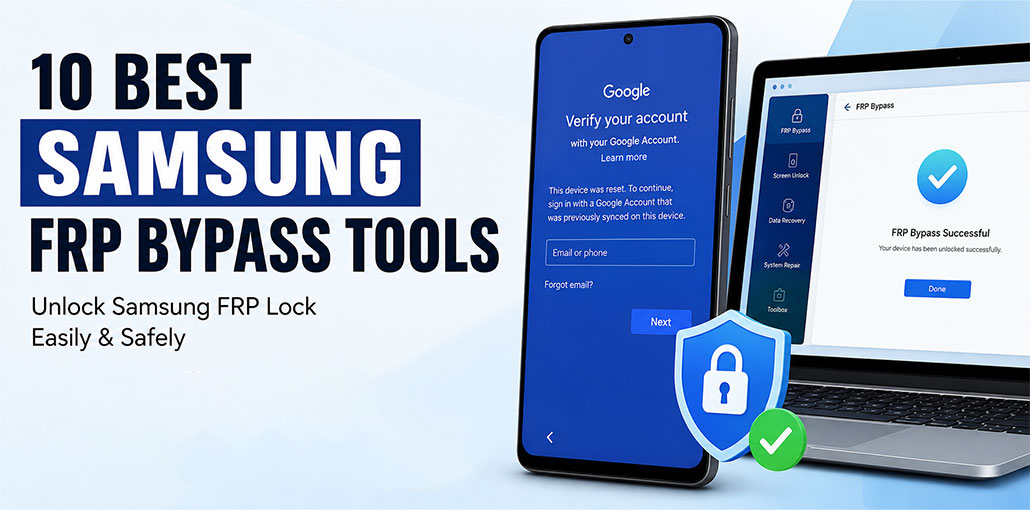
Imagine buying a secondhand Samsung phone in excellent condition—only to discover you can’t use it because it’s locked by Google’s Factory Reset Protection (FRP).
Factory Reset Protection (FRP) is a security feature built into Android devices. After a factory reset, it requires the Google account previously linked to the phone before it can be set up again.
While FRP is an important anti-theft feature, it can become a problem if you’ve legitimately purchased a used phone or forgotten your Google account credentials.
This is a list of the top Samsung FRP bypass software that can help you unlock your device to return to using it right away.
Comparison of the Best Samsung FRP Bypass Tools
| Tool | Best For | Android Support | Platform | Ease of Use | Price |
|---|---|---|---|---|---|
| Tenorshare 4uKey | Overall Samsung FRP Removal | Multiple Android Versions | Windows & macOS | ⭐⭐⭐⭐⭐ | From $24.95/month (Free trial available) |
| DroidKit | FRP + Android Repair | Multiple Android Versions | Windows & macOS | ⭐⭐⭐⭐⭐ | From $39.99 (Free trial available) |
| UnlockGo (iToolab) | Beginners | Android 5–12 | Windows | ⭐⭐⭐⭐⭐ | From $14.95/month (Free trial available) |
| Unlockit (Foneazy) | One-Click FRP Removal | Multiple Android Versions | Windows & macOS | ⭐⭐⭐⭐☆ | From $29.95/month (Free trial available) |
| UnlockJunky | Live Technician Support | Multiple Android Versions | Online Service | ⭐⭐⭐⭐⭐ | Around $30/service |
| FonesGo Android Unlocker | Wide Device Compatibility | 6,000+ Android Devices | Windows & macOS | ⭐⭐⭐⭐☆ | From $34.95/month |
| UltFone FRP Bypass Tool | New Android Versions | Android 11–14+ | Windows & macOS | ⭐⭐⭐⭐⭐ | From $30-35/month (License varies) |
| WooTechy iDelock (Android) | Multi-Brand Unlocking | Multiple Android Versions | Windows & macOS | ⭐⭐⭐⭐☆ | From $34.15/month |
| Dr.Fone Android Unlock | All-in-One Android Toolkit | Android 6–14+ | Windows & macOS | ⭐⭐⭐⭐☆ | From $24.95/month |
| EaseUS MobiUnlock | Samsung & Other Android Brands | Multiple Android Versions | Windows | ⭐⭐⭐⭐☆ | From $39.95/month |
10 Best Samsung FRP Bypass Software to Unlock Google Lock
It is vital to keep in mind when performing a Samsung FRP Bypass that the device must be legally owned and all documents intact. Otherwise, if the device was stolen or pawned, it is unethical to attempt the Samsung FRP Bypass.
1. Tenorshare 4uKey
Tenorshare 4uKey has gained a reputation as a reliable solution for unlocking Android devices.
The FRP lock removal feature in this program has an excellent success rate and gives the user complete control of their device. According to the vendor, it can bypass Google account verification without providing the password.
Pros
- Simple interface suitable for beginners.
- Supports Samsung FRP lock removal.
- Can remove Google account verification after FRP lock.
- Compatible with a wide range of Android devices.
- Offers guided unlocking steps.
Cons
- Premium software with limited functionality in the trial version.
- Success depends on the device model and Android version.
- May require a Windows or Mac computer.
- Some unlocking methods can erase device data.
Also read: How to Bypass Activation Lock on iPhone/iPad: 4 Simple Solutions
2. DroidKit
It works well with Windows and macOS. DroidKit can bypass FRP lock on Samsung devices with ease.
Whichever model you’re using, the tool’s performance is awesome. This is due to their distinct unlocking procedures for each model, ensuring they’re not used to the “one size fits all” formula.
What I like is that you get access to your mobile immediately after the lock is removed. The best part is that the entire process is protected by SSL-256 encryption. DroidKit uses encrypted communication during the unlocking process, and I believe that as a user it’s impossible to find anything more secure options.
Other features of DroidKit include recovering deleted data without a backup, fixing Android system issues, and preventing data loss in Samsung devices.
Pros
- Works on Windows and Mac.
- Includes Android repair tools.
- Free trial available.
Cons
- Full features require payment.
- Not all features work on every device.
3. UnlockGo
UnlockGo from iToolab makes Samsung FRP bypass easy. All you need is a computer, a connection cable, and these easy steps.
The only thing to keep in mind is choosing the correct Android version. At the time of writing, UnlockGo supports any Samsung device running Android 5-12.
Not only does it easily bypass Samsung FRP, but it also allows UnlockGo to bypass security on screen locks of a variety of Android phones, including more than 15 brands.
UnlockGo is a perfect fit for all versions of Windows. You can download the software to verify its compatibility with your device before paying to unlock. I think this is a great feature.
The subscriptions are plentiful, ranging from monthly to lifetime, and are covered by a 30-day money-back guarantee.
Pros
- Simple FRP bypass process.
- Supports multiple Android brands.
- 30-day money-back guarantee.
Cons
- Paid software.
- Limited Android version support.
4. Unlockit
Unlockit by Foneazy offers a one-click Samsung FRP bypass without you booting into recovery mode or downloading nebulous APKs. This is a huge benefit, especially for new users who aren’t at ease with this complicated procedure.
Additionally, there are extensive tutorials based on the Android version that provide step-by-step instructions when one-click unlock does not work.
Try Foneazy Unlockit Android with the complete 30-day money-back guarantee.
Pros
- One-click Samsung FRP bypass.
- No APK downloads required.
- Step-by-step guides included.
Cons
- Paid tool.
- One-click method may not work for all devices.
5. UnlockJunky
UnlockJunky is designed to help make unlocking FRP and unlocking your carrier pretty simple for your devices. The primary goal of UnlockJunky is to provide customers with quick Samsung FRP Unlock and other Android devices.
This Samsung FRP Removal Tool will make it simple to access your devices. Select your device, then the unlock type, download the application on your PC, connect your device, and let the technician complete the job while you are on Live Chat.
UnlockJunky offers live chat 24/7 and help. It is possible to unlock your device within 5 to 15 minutes. The most appealing thing is that you do not need to leave the safety of your house because the entire process is done online. For those who are not confident with technology, this is the best option because the UnlockJunky technician will handle the entire procedure.
Pros
- Live technician assistance.
- Fast unlocking.
- Easy for beginners.
Cons
- Paid service.
- Requires an internet connection.
6. FonesGo
Have you purchased, received, or inherited an older Android phone, but you don’t know the Google login password? You’ve factory reset your previous Android phone, and you’ve lost your Google account details?
Then, FonesGo Android Unlocker is available to end your pain! While most of the apps I’ve examined have a restricted number of devices they support, FonesGo supports more than 6000 Android and tablet models.
It removes FRP and Google account verification on a variety of smartphone brands. Do you have an account password? Pattern? PIN? Fingerprint? Face recognition? FonesGo is the one-stop solution for all types of Android unlocking!
Pros
- Supports 6,000+ Android devices.
- Removes FRP and screen locks.
- Easy to use.
Cons
- Paid software.
- Device compatibility varies.
7. UltFone Samsung FRP Bypass Tool
Bypassing FRP locks in Samsung has never been simpler or safer than using the UltFone Samsung FRP Bypass Tool! There is no need to download dangerous APKs or risk your device; the tool cracks open the lock.
It is not necessary to sign up for a Google account to operate. Yes, the FRP can be avoided without complications, as there will be no requirement for OTG/Knox/ADB/Odin/*#0*#/Root. UltFone can be used with any of the following devices: Samsung, Xiaomi, Redmi, Vivo, Huawei, OPPO, Realme, and OnePlus devices. I believe it runs different versions of Android, including 14/13/12/11, which makes it more complete.
Pros
- No root or APK required.
- Supports multiple Android brands.
- Beginner-friendly.
Cons
- Paid software.
- Requires a PC or Mac.
8. WooTechy iDelock(Android)
Do you remember that tense moment when you’re not able to unlock your phone after a few attempts? To ease tensions like these, WooTechy iDelock(Android) is now available to assist!
This Samsung FRP Bypass software will quickly and easily unlock Samsung/Xiaomi/Redmi FRP and disable Google Account Verification without entering an account password. After unlocking, you’ll be able to access all the functions of your phone and can sign in with a fresh Google account.
In addition, WooTechy is compatible with hundreds of Android phone models, such as Xiaomi, Samsung, Huawei, Google, LG, Motorola, and many more. Unlocking your phone can be achieved in only 3 easy steps!
Pros
- Supports many Android brands.
- Three-step unlocking process.
- Beginner-friendly.
Cons
- Paid version required.
- Compatibility varies by device.
9. Dr. Fone
Dr. Fone offers a wide array of features, including patterns, pins, fingerprint unlock, face screen, and bypassing Samsung FRP lock. It also fully supports Samsung Galaxy S24! While many apps fail to accommodate a variety of Android devices, I appreciated that Dr. Fone works with Android 14 as well as mainstream Android brands such as LG, Xiaomi, Huawei, and more, in addition to Samsung.
What I found most interesting about Dr. Fone is that it encourages users to create backups before performing FRP bypass. This transparency, I believe, is not only vital but can also prevent users from losing all their important data.
Pros
- All-in-one Android toolkit.
- Supports Samsung FRP bypass and multiple screen lock types
- Backup reminder before unlocking.
Cons
- More expensive than some alternatives.
- Free version is limited.
Also read: Best FRP Bypass Tools in 2025: Unlock Any Android Easily
10. MobiUnlock
EaseUS MobiUnlock can be used with a wide range of Android phones and other devices, including HTC, LG, and Sony. It’s an improvement for non-Samsung users; FRP bypass tools cater mostly to Samsung’s Android phones.
MobiUnlock offers a straightforward 3-step unlocking process and provides technical assistance to users with the technical aspects of the procedure. For certain Samsung users (you can find the list on their site), the good news is that removing screen locks is easy without data loss, and they don’t have to worry about the extra hassle of creating a backup.
Pros
- Supports Samsung and several other Android brands.
- Provides technical support.
- Beginner-friendly interface.
Cons
- Paid software.
- Not all devices support data retention.
How We Tested the Best Samsung FRP Bypass Tools
To compile this list, we compared the top Samsung FRP bypass tools based on the factors that matter most to users. We reviewed each tool’s official documentation, feature set, compatibility, pricing, ease of use, and customer support. We also analyzed user feedback and update history to evaluate reliability and ongoing support.
Each tool was assessed using the following criteria:
- Samsung compatibility: Support for different Galaxy models.
- Android version support: Compatibility with various Android versions.
- Ease of use: Installation process and user-friendly interface.
- FRP bypass features: Ability to remove Google account verification.
- Additional features: Screen unlock, Android repair, or data recovery tools.
- Pricing & free trial: Overall value for money and trial availability.
- Customer support: Availability of tutorials, documentation, and technical assistance.
Our goal is to recommend reliable FRP bypass tools that are suitable for users who legally own their devices and need to regain access after a factory reset.
Conclusion: Choosing the Right Samsung FRP Bypass Tool
In this article, we’ve introduced you to the best Samsung FRP Bypass tools and APKs that are easy to download and use. Since most free programs do not need technical assistance, you might not be able to solve the issue in time. So, be sure to take your time choosing the right Samsung FRP bypass tools. This article should help you bypass the factory reset protection of Samsung devices.
FAQs: Samsung FRP Bypass Tools
What is Samsung FRP bypass?
Samsung FRP bypass is the process of removing Factory Reset Protection (FRP) from a Samsung device after a factory reset. It allows the device owner to regain access when they cannot verify the previously linked Google account.
Is it legal to use Samsung FRP bypass tools?
Yes, FRP bypass tools can be used legally when you own the device or have proper authorization. Using them on lost or stolen devices is illegal and unethical.
Can FRP bypass tools remove the Google account lock without a password?
Many FRP bypass tools are designed to remove Google account verification without requiring the previous account password, depending on the Samsung model and Android version.
Do FRP bypass tools work on all Samsung phones?
No. Compatibility depends on the Samsung model, Android version, security patch level, and the specific FRP bypass tool being used.
Can I bypass Samsung FRP without using software?
Some manual methods may exist, but they are often complicated and may not work on newer Samsung devices. Dedicated software generally provides a simpler process.







Leave a comment