

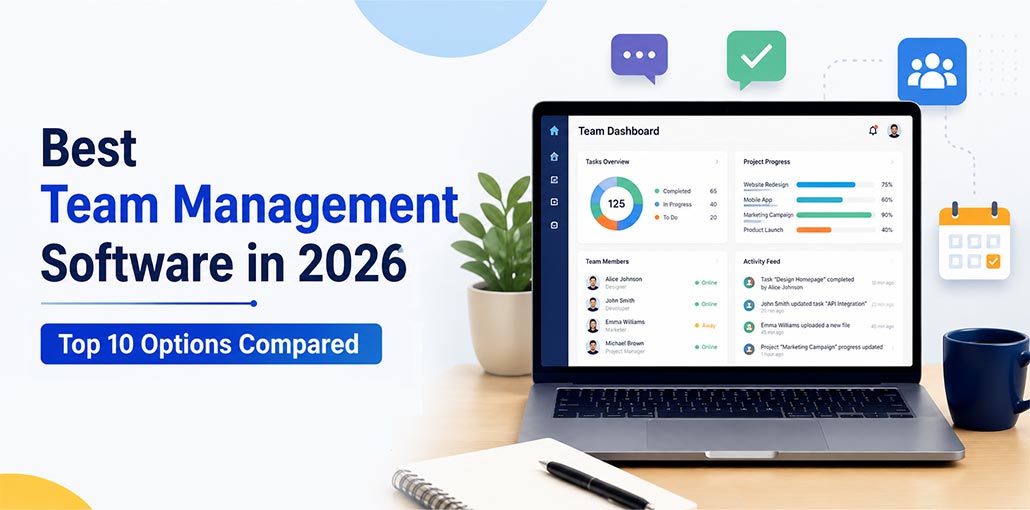
Project management using email threads, spreadsheets, and a variety of conversations becomes difficult as teams expand. Team management software helps companies manage tasks, increase collaboration, monitor progress, and help keep projects running on a single platform. This article will help you learn why your company needs it and how to select the best team management software.
First, let’s see whether we’re on the same page about the definition.
What Is Team Management Software?
Team management software is a digital solution (usually an online service) designed to manage the communication and collaboration of a group in a firm. It provides every team member with a complete perspective of the team’s tasks and projects.
Benefits of Team Management Software
- Keeps projects organized and on schedule.
- Improves communication across departments.
- Makes workloads easier to balance.
- Increases accountability with clear ownership.
- Provides better reporting and project visibility.
- Reduces time spent on manual updates and meetings.
Best Team Management Software Compared
| Team Management Software | Best For | Free Plan | Starting Price | Key Strength | Our Rating |
|---|---|---|---|---|---|
| ClickUp | All-in-one team management | Yes | $7/user/month | Powerful customization and automation | 9.8/10 |
| Asana | Small and growing teams | Yes | $10.99/user/month | Simple project and task management | 9.5/10 |
| Monday.com | Visual workflows | Yes | $9/user/month | Custom dashboards and reporting | 9.4/10 |
| Wrike | Large businesses and enterprises | Yes | $10/user/month | Advanced reporting and resource planning | 9.2/10 |
| Jira | Agile and software development teams | Yes | $8.60/user/month | Sprint planning and issue tracking | 9.1/10 |
| Zoho Projects | Budget-conscious businesses | Yes | $4/user/month | Affordable pricing and strong integrations | 8.9/10 |
| Basecamp | Teams that prefer simplicity | Limited | $15/user/month | Easy communication and collaboration | 8.7/10 |
| Apploye | Remote and hybrid teams | Yes | $4.50/user/month | Productivity tracking and time management | 8.6/10 |
| nTask | Startups and small businesses | Yes | $3/user/month | Budget-friendly project management | 8.5/10 |
| Airtable | Custom workflows and databases | Yes | $20/user/month | Flexible data organization and workflows | 8.4/10 |
Note: Pricing and features were verified using official vendor websites at the time of writing and may change in the future.
How We Tested Team Management Software
Our evaluation focused on the features businesses use most often:
- Task and project management
- Collaboration capabilities
- Reporting and analytics
- Workflow automation
- Ease of use
- Integration support
- Scalability
- Overall value for money
Also read: How to Create a Powerful AdWords Management Team
Top 10 Team Management Software in 2026
Selecting the best team management software is difficult due to the many options available. To help you decide, we’ve reviewed the most popular software and highlighted their features, pricing, pros, and cons.
1. ClickUp
ClickUp is a flexible team management software that brings tasks, documents, goals, and communication into a single workspace. Teams can switch between list, board, calendar, and timeline views depending on how they prefer to work. Its customization options make it suitable for both startups and large organizations.
Key Features
- Task and subtask management
- Time tracking
- Multiple project views
- Workflow automation
- Goal tracking
Pros
- Highly customizable
- Supports teams of all sizes
- Strong automation capabilities
Cons
- Learning curve for beginners
- Interface may feel busy initially
2. Asana
Asana is a popular team management software that helps teams organize projects without relying on endless emails or meetings. Managers can assign responsibilities, set due dates, and monitor progress from one dashboard. Its clean design makes onboarding new users quick and simple.
Key Features
- Task assignment
- Timeline view
- Project templates
- Workflow automation
- Progress reporting
Pros
- Easy to use
- Excellent collaboration tools
- Smooth user experience
Cons
- Limited features in free version
- Time tracking needs integrations
3. Monday.com
Many growing businesses choose this team management software because of its visual dashboards and drag-and-drop workflows. Teams can quickly understand project status, workloads, and priorities without digging through multiple reports. It also adapts well to different departments and workflows.
Key Features
- Custom workflows
- Automation tools
- Dashboard reporting
- Resource management
- Multiple project views
Pros
- Attractive interface
- Easy customization
- Great visual reporting
Cons
- Premium plans can be expensive
- Advanced features require upgrades
4. Wrike
Wrike is an enterprise-focused team management software built for organizations managing several projects at the same time. Its reporting and resource planning tools help managers distribute workloads effectively while keeping deadlines under control.
Key Features
- Gantt charts
- Workload management
- Resource planning
- Approval workflows
- Custom reports
Pros
- Detailed reporting
- Excellent visibility across projects
- Ideal for large teams
Cons
- Complex for first-time users
- Higher pricing than some competitors
5. Jira
Jira is widely used by development teams to manage sprints, bugs, and feature requests. Agile boards and issue tracking tools make it easier for teams to stay organized throughout the software development lifecycle.
Key Features
- Scrum boards
- Kanban boards
- Issue tracking
- Sprint planning
- Product roadmaps
Pros
- Perfect for Agile workflows
- Powerful customization
- Excellent reporting tools
Cons
- Less suitable for non-technical teams
- Initial setup can be challenging
Also read: Top 5 Test Management Tools For Jira
6. Zoho Projects
Zoho Projects provides affordable team management software capabilities for businesses that want strong project tracking without enterprise pricing. Teams can manage milestones, deadlines, and collaboration from a centralized dashboard.
Key Features
- Task management
- Milestone tracking
- Time tracking
- Team collaboration
- Workflow automation
Pros
- Budget-friendly pricing
- Integrates with Zoho ecosystem
- Easy to implement
Cons
- User interface feels dated in places
- Limited customization options
7. Basecamp
Basecamp takes a simple approach to organizing work by combining discussions, schedules, files, and tasks in one place. It is often preferred by teams that want a straightforward platform without unnecessary complexity.
Key Features
- To-do lists
- Message boards
- Team schedules
- File sharing
- Group chat
Pros
- Very easy to learn
- Clean interface
- Flat pricing model
Cons
- Limited advanced reporting
- Fewer customization options
8. Apploye
Apploye combines employee monitoring with team management software features for businesses with remote or hybrid teams. Managers can track work hours, productivity trends, and project progress while employees log time automatically.
Key Features
- Time tracking
- Productivity reports
- Employee monitoring
- Screenshot capture
- Payroll support
Pros
- Accurate time tracking
- Useful productivity insights
- Great for remote teams
Cons
- Monitoring features may not fit every company
- Fewer project management features
9. nTask
nTask focuses on simplicity while offering enough tools for daily project coordination. Teams can manage meetings, risks, issues, and deadlines without dealing with an overly complicated interface.
Key Features
- Task management
- Meeting management
- Issue tracking
- Risk management
- Time tracking
Pros
- Affordable pricing
- Beginner-friendly interface
- Quick setup process
Cons
- Limited integrations
- Reporting features could be stronger
10. Airtable
Airtable combines spreadsheet functionality with database management to create highly flexible workflows. Teams can organize projects, resources, and internal processes using layouts that match their preferred working style.
Key Features
- Custom databases
- Multiple views
- Automation tools
- Collaboration features
- Template library
Pros
- Extremely flexible
- Powerful organization features
- Supports custom workflows
Cons
- Can become expensive as teams grow
- Requires setup time for advanced use cases
Also read: 7 Best Employee Management Software: How to Choose the Right One
Essential Features to Look for in Team Management Software
Any effective team management software must bring structure, efficiency, and clarity to teamwork. Here are the most important elements that make a good tool for managing teams truly efficient:
Task Management:
Set deadlines, assign tasks, and monitor the progress daily so nothing slips through the cracks.
Communication and Collaboration:
Keep all discussions, updates, and other files together. This will eliminate the requirement for endless messages and emails.
Workload and Resource Management:
Make sure that work is distributed evenly across team members, so that there is no overload while others are waiting on work.
Time Tracking and Productivity Insights:
Find out where your time is spent and find bottlenecks that can be improved.
Automation and Workflow Optimization:
Automate repetitive tasks and design organized workflows to ensure processes run smoothly.
Reporting and Analytics:
Gain insight into the team’s performance, monitor project progress, and make informed decisions.
How to Choose Team Management Software
Before making a decision, consider the following:
- Team size and future growth plans.
- Available budget.
- Required integrations.
- Reporting needs.
- Remote work requirements.
- Automation capabilities.
The best platform is the one your team will actually use consistently.
Conclusion
We’ve compiled a list of Team Management software that has features to help you manage your team efficiently. Monday.com or ClickUp are all-in-one solutions for team management.
Apploye, ClickUp, Zoho Projects, and nTask are time-tracking software. ClickUp, Asana, Monday.com, Wrike, Jira, and Basecamp, along with Zoho Projects and nTask, include Project and Task Management Solutions. Airtable can help with business management. ClickUp, Asana, Monday.com, and Basecamp are collaborative tools.
This article should help you select the team management software that suits your needs and business.
FAQs: Team Management Software
Why do businesses use team management software?
Businesses use team management software to improve collaboration, increase productivity, manage workloads, and keep projects on schedule.
Which team management software is best for small businesses?
ClickUp, Zoho Projects, and nTask are excellent choices for small businesses due to their affordability and ease of use.
Is there free team management software available?
Yes. Many platforms, including ClickUp, Asana, Monday.com, Jira, and Zoho Projects, offer free plans with basic features.
Which team management software is best for remote teams?
Apploye is a strong option for remote teams because of its time tracking and productivity monitoring capabilities.








Leave a comment